Player’s Locker · included with every build

Write It. Send It. See Who Read It.

Every site we build comes with a private Locker. It writes the coach email in your athlete’s words, then shows, school by school, what happened after it went out.

1 · Email a coach

The email is already written.

Most families get stuck at the same spot: what do we say, and who do we send it to? Pick the school and the Locker writes the note in your athlete’s own words — position, school, grad year, best numbers and their link inside. You read it, change anything you like, and send it from your own email.

  1. Pick the school. Start typing the name and tap it in the list.
  2. Find the coach. Tap Find the coaches to open the school’s staff page, then copy the coach’s last name and email.
  3. Read the email. It’s already written in your athlete’s words with their link inside. Change anything you like.
  4. Tap send. Choose Gmail, Outlook or Yahoo. It goes from your own email, and replies come straight to you.

Nothing is sent by Recruit2College. Coaches get a normal email from you. We don’t sell or keep coach lists — Find the coaches opens the school’s own staff page, so the address is current.
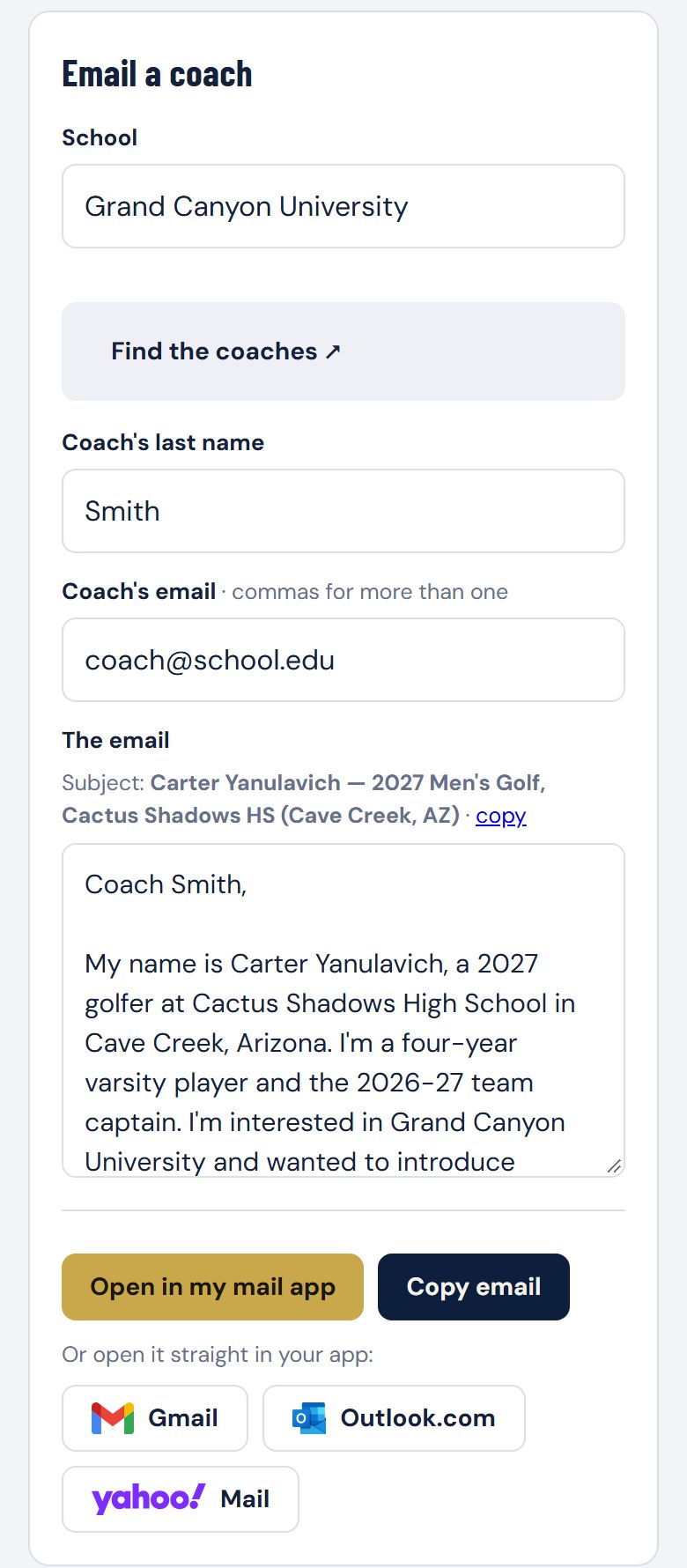
Email a coach: pick the school, add the coach, and the email is already written with Gmail, Outlook and Yahoo buttons
Sample Locker · illustrative data
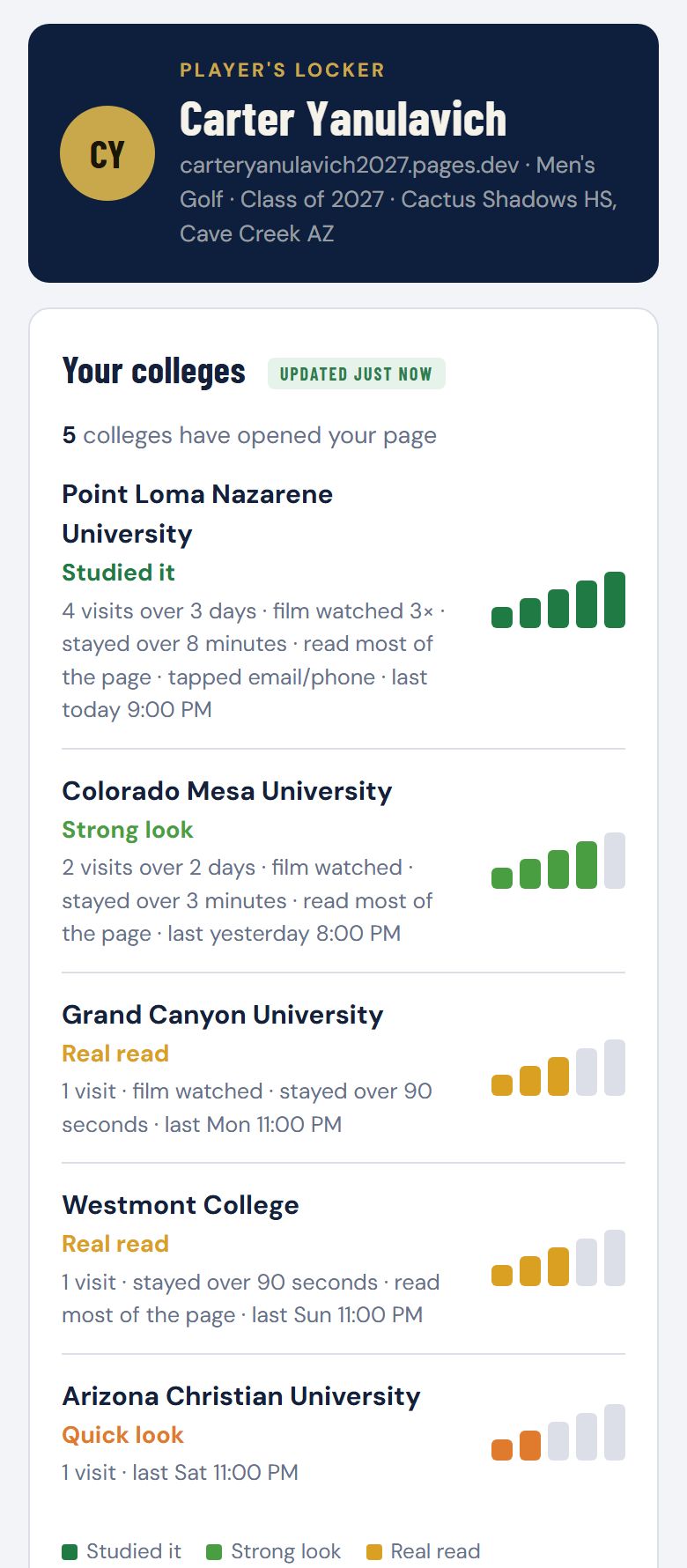
Your colleges: five schools, each with an activity meter
Sample Locker · illustrative data, not Carter’s real results
2 · Your colleges

See what happened at each school.

Every email carries a link made for that school. When someone there opens it, the school shows up in your Locker with a plain-English read on what they did:

  • Quick look — opened your athlete’s page
  • Real read — stayed and read it, or watched the film
  • Strong look — came back on another day and watched the film
  • Studied it — kept coming back: the film, the full page, sometimes the email or phone number

It updates on its own. No reports to wait for — check it from your phone.

It measures activity, not interest, and it can’t tell you which person at a school clicked. We filter out the college mail-security systems that open every link automatically, so the list errs toward missing a quick look rather than inventing one.

Also in every Locker

Private

Unlocked with your family PIN. Coaches land on the website and never see the Locker.

On your phone

Add it to your home screen and it opens like an app.

Keep a record

Email yourself the list, or copy it straight into a spreadsheet.

Need something changed?

One tap sends us new stats, photos or film for the site.

Questions
Does Recruit2College send emails to coaches?

No. The Locker writes the email and opens it in your own Gmail, Outlook or Yahoo. You send it from your address, and replies come straight to you.

Can coaches see the Locker?

No. It's unlocked with your family PIN. Coaches land on your athlete's website and never see the Locker.

Do you give us coach email addresses?

No. Coaches change jobs every season, so any list goes stale. Find the coaches opens the school's own staff page, where the address is current.

Can it tell us who at the school opened it?

It shows the school and what happened there: opened it, read it, watched the film, came back. It can't tell you which person clicked, and it measures activity, not interest.

Does the Locker cost extra?

No. It's included with every website build, $899 one time.

Your Athlete Next.

Send us the film. We’ll design the site around your athlete, with analytics and the Player’s Locker built in.

Start My Build See Pricing